
Booking on an event
You need to be a member to book on events.
- Log into the web site - which will take you to the portal page (more later!). (The login button is in the top right hand corner.) It is important to login first as it makes the following steps less complicated.
- Select 'Events' in the tabs at the top of the page and you will then see a list of upcoming events.
- If you have not invited this person before, add them to your 'crew list - instructions here.
- On the right hand side of each event you will see a 'Book Online' field for those events which are bookable. (We are still working on the rest!)
- Select the 'Book Online' against the event that interests you, and you will then be taken to the event itself. Scroll down to the 'Tickets' section.
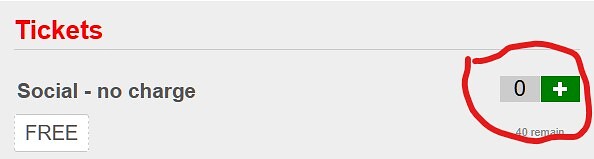
Tickets
- Hit the green 'plus' sign until the number of tickets that you require are shown. (If the colour is orange, it is not yet bookable.)
- Note that for rallies, you will need one 'Skipper/Boat' ticket and one or more 'Crew' tickets. You may also need other tickets, depending on the rally, for food orders, trips etc.
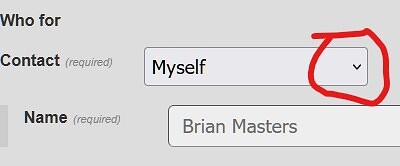
Select who the tickets are for
- For each ticket, use the pull down arrow shown to select who the tickets are for. If a person you want to invite is not shown, use 'Other' and add in their name.
- Hit the blue 'Reserve x now' blue button under the tickets where x is the number of tickets that you want to reserve.
- All done!
If you want to see which events you have booked, you can use the 'Schedule' button at the very top of every web page or this link.
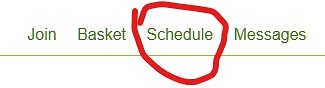
Use the schedule button to see your bookings and your roles
Last updated 08:39 on 20 September 2026